It is a shortcut your guest scans from the table with their phone camera, without installing anything. It can open the digital menu, the Wi-Fi password, a link to leave a review, the location of your restaurant or café, or anything else you want to share.
What changes with Qart
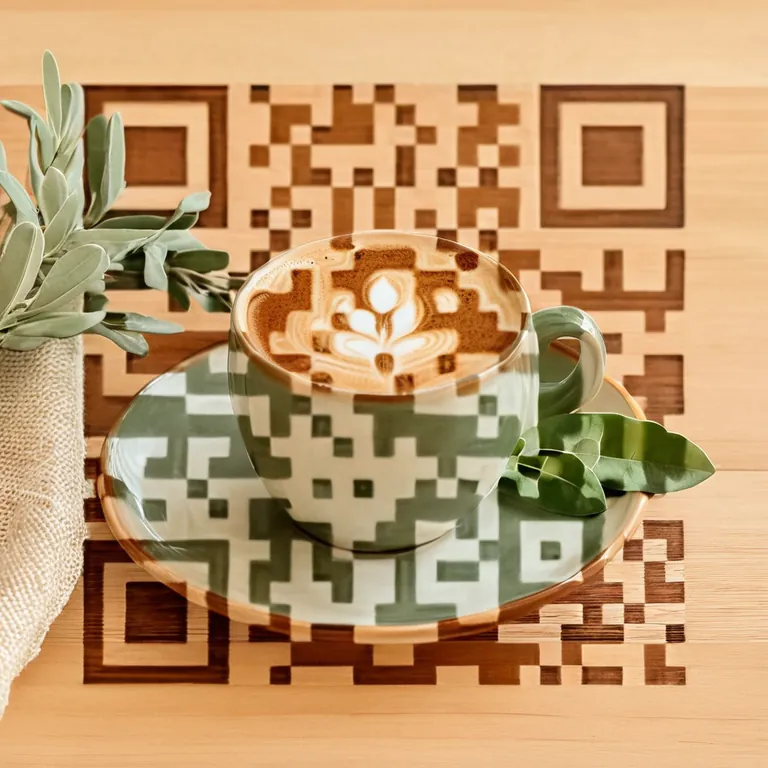
That QR does not have to be the usual black and white square. At Qart you pick a ready-made artistic design and set it up so it suits the look of your restaurant or café. Underneath it is still a standard QR: it scans with any phone from the native camera.
And because it is a dynamic QR, you can change what it opens without reprinting it.
One artistic QR, three ways to use it
You pick the design once. Then you decide where the QR leads, and you can change it whenever you need to.
The QR can lead to…
Direct link
If you already have a link ready
Digital menuBookingsSocialsWebsite
The QR can lead straight to your digital menu, bookings, socials or website.
Restaurant guide
If you want useful shortcuts together
Unión Coffee
Open: 8 am – 8 pm
A simple page gathering menu, Wi-Fi, reviews and location.
Business profile
If you want to present your venue better
Mediterranean kitchen
At NATIVA, Mediterranean cooking is fresh and in season.
Show opening hours, contact, socials and more about your venue.
Qart does not replace your digital menu: it connects to it from an artistic QR
You can change where the QR leads without reprinting it
Where to put a QR in your restaurant or café
Where to use it
What it should open
Suggested size
Table (menu holder, placemat, coaster)
Restaurant guide, menu or Wi-Fi
3 × 3 cm
Counter or till
Reviews, socials or payment methods
4 × 4 cm
Window or door
Business profile, hours or bookings
8 × 8 cm
Chalkboard or pavement sign
Menu of the day, offers or the menu
10 × 10 cm
Delivery packaging
Reviews, socials or the link to order again
3 × 3 cm
Instagram bio or your website
Digital menu, bookings, socials or website
—
The rule is simple: the further away it is scanned, the bigger the QR has to be. Before printing a batch, test a design with your phone from the real distance your guest will scan it from.
What Qart costs
Each artistic QR has its own plan, activated from the page of the design you pick.
Frequently asked questions about QR codes for restaurants and cafes
Can I change the menu without reprinting the QR?
Yes. The code is dynamic: it points at a destination you control from your account. If you change the menu link, update prices or swap the seasonal menu, the QR printed on the table keeps working and leads to the new version. You reprint nothing.
What size should I print the QR for a table, a placemat or the window?
It depends on the distance it is scanned from: a QR reads reliably up to about 10 times its own width. On the table, where the guest has it around 30 cm away, 3 × 3 cm is enough. On the counter, 4 × 4 cm. On a window or door, scanned from the pavement, 8 × 8 cm or more. Artistic QRs carry a logo and colours of their own, so round up, and always print a test and scan it from the real position before ordering the batch.
Do my guests need to install anything to scan it?
No. It scans with the camera already on their phone, by pointing at it and tapping the notification that appears. It works the same on iPhone and Android. If the camera ever fails to detect it, Google Lens sorts it out.
Does it work for a food truck, a market stall or a venue with no fixed address?
Yes, and that is where a dynamic code pays off most. You can print the QR once on the vehicle or the stall and change the destination depending on where you are or what you are selling that day: the market menu, the ordering link or your location for the day.
Can I use the same QR for the menu, the reviews and the Wi-Fi?
Yes, with the restaurant guide option. Instead of leading to a single destination, the QR opens a page with the shortcuts together: the link to your menu, the Wi-Fi password, the reviews link and the location. The guest picks what they want. It is the alternative to having three different codes on the table.
What if the venue's Wi-Fi is unreliable?
Guests scan using their own mobile data, so it does not depend on your connection. Still, if your venue has patchy signal at some tables, keeping the Wi-Fi password reachable from the same QR helps: they connect and browse the menu without using data.