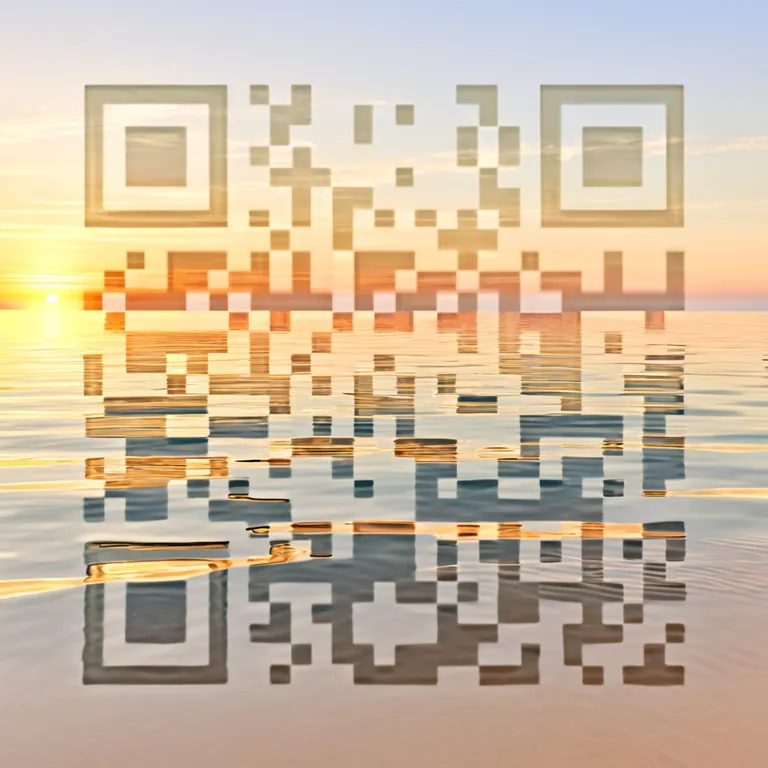
It is a shortcut your guest scans with their phone camera, without installing anything. It can open a digital guide with Wi-Fi, check-in, house rules, recommendations, location, contact details or anything else that helps during the stay.
What changes with Qart
That QR does not have to be the usual black and white square. At Qart you pick a ready-made artistic design and set it up so it suits the look of your place, hotel, Airbnb or holiday rental. Underneath it is still a standard QR: it scans with any phone from the native camera.
And because it is a dynamic QR, you can change what it opens without reprinting it.
One artistic QR, three ways to use it
You pick the design once. Then you decide where the QR leads, and you can change it whenever you need to.
The QR can lead to…
Direct link
If you already have a link ready
WebsiteBookingsAirbnbGuide
The QR can lead straight to your website, bookings, digital guide or Airbnb listing.
Show photos, services, location, contact, socials and more about the place.
Qart connects everything about your place from an artistic QR
You can change where the QR leads without reprinting it
Where to put a guest QR in your place
Where to use it
What it should open
Suggested size
Bedside table or desk
Guest guide, Wi-Fi or check-in
3 × 3 cm
Front door or reception
Check-in, house rules or contact
6 × 6 cm
Kitchen or dining area
Wi-Fi, house rules or recommendations
3 × 3 cm
Welcome sign
Digital guide, location or services
8 × 8 cm
Bedroom or cabin
Wi-Fi, contact, hours or services
3 × 3 cm
Airbnb or Booking bio, or your website
Digital guide, bookings or details about the place
—
The rule is simple: the further away it is scanned, the bigger the QR has to be. Before printing a batch, test a design with your phone from the real distance your guest will scan it from.
What Qart costs
Each artistic QR has its own plan, activated from the page of the design you pick.
Frequently asked questions about QR codes for stays and guests
Can I change the guest guide without reprinting the QR?
Yes. The QR code is dynamic: it points at a destination you control from your account. If you change the Wi-Fi password, the check-in times, the house rules or the recommendations for guests, the printed QR keeps working and leads to the new version. You do not need to reprint it.
Where is the best place to put the QR in a rental?
You can put it in the bedroom, on the bedside table or desk, in the kitchen, at reception, on the front door or on a welcome sign. The idea is that guests find it easily when they need the Wi-Fi, check-in, house rules, contact, location or local recommendations.
Do my guests need to install anything to scan it?
No. It scans with the phone camera, without installing any app. It works on iPhone and Android. If the camera ever fails to detect it, apps like Google Lens can help scan it.
Does it work for Airbnb, cabins, hotels or holiday rentals?
Yes. Qart works across different kinds of accommodation: Airbnb, hotels, guesthouses, cabins, short-term flats or rental homes. The QR can open a digital guest guide, a booking site, a profile of the place or any other useful link.
Can I gather Wi-Fi, check-in, house rules and recommendations in one QR?
Yes. With the guest guide option, the QR opens a simple page with several shortcuts: Wi-Fi, check-in, house rules, nearby recommendations, location, contact and other details that help during the stay. It is the alternative to sending a lot of information across separate messages.
What if the Wi-Fi password or the details of the stay change?
You can update the content from your account without reprinting the QR. That helps if you change the Wi-Fi password, add new recommendations, adjust hours or rules, or want to show different information depending on the season.