It is a shortcut someone scans with their phone camera, without installing anything. It can open the schedule, sign-up, location, invitation, presentation material, socials, a contact form or anything else that helps guests and attendees.
What changes with Qart
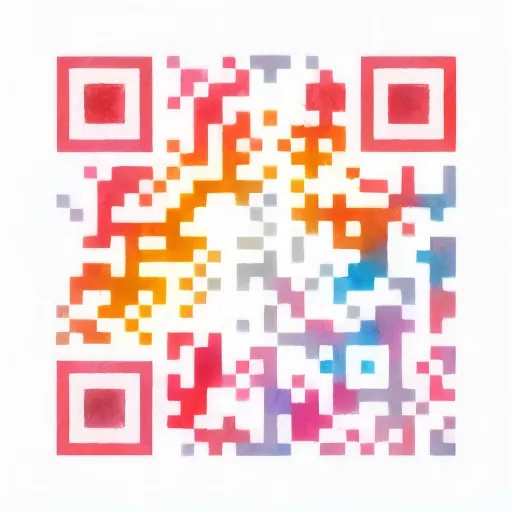
That QR does not have to be the usual black and white square. At Qart you pick a ready-made artistic design and set it up so it suits the look of your event, your presentation, your stand or your printed material. Underneath it is still a standard QR: it scans with any phone from the native camera.
And because it is a dynamic QR, you can change what it opens without reprinting it.
One artistic QR, different ways to use it
You pick the design once. Then you decide where the QR leads, and you can change it whenever you need to.
The QR can lead to…
Direct link
If you already have a link ready
InvitationScheduleSign-upWebsite
The QR can lead straight to your invitation, schedule, sign-up, presentation or the event website.
Personal profile
If you want all your links in one place
Carmín Ríos
Visual artist
Showing recent work at Acuarelistas 2026, open to walk through and discover.
Find me on
Bring your date and venue, your portfolio and your socials together on one simple page.
Business profile
If you want to present your event
“Creative fair”
A gathering of design, independent brands and new ideas.
Present your event or fair with opening hours, location, socials and contact.
Qart connects your event, presentation or material from an artistic QR
You can change where the QR leads without reprinting it
Where to put a QR for events and presentations
Where to use it
What it should open
Suggested size
Invitation or ticket
Schedule, location, sign-up or event details
3 × 3 cm
Pass or badge
Contact, professional profile, schedule or socials
3 × 3 cm
Flyer, poster or printed programme
Schedule, sign-up, presentation or the event website
6 × 6 cm
Trade fair or exhibition stand
Catalogue, contact, a form or sales material
8 × 8 cm
Screen or projection
Presentation, form, survey or downloadable material
10 × 10 cm
Table, counter or reception
Check-in, passes, contact or socials
4 × 4 cm
Instagram bio or the event website
Sign-up, schedule, location or event material
—
The rule is simple: the further away it is scanned, the bigger the QR has to be. Before printing invitations, programmes or material for an event, test the design from the real distance someone will scan it from.
What Qart costs
Each artistic QR has its own plan, activated from the page of the design you pick.
Frequently asked questions about QR codes for events, fairs and presentations
Can I change the schedule, sign-up or link without reprinting the QR?
Yes. The QR code is dynamic: it points at a destination you control from your account. If you change the schedule, the sign-up link, the location, the form or the presentation material, the printed QR keeps working and leads to the new version. You do not need to reprint it.
Where is the best place to put a QR for an event or presentation?
You can put it on invitations, tickets, passes, flyers, posters, printed programmes, stands, screens, reception tables or presentation material. The idea is that attendees can scan it easily to reach the schedule, sign-up, location, contact details or the event's content.
Do attendees need to install anything to scan it?
No. It scans with the phone camera, without installing any app. It works on iPhone and Android. If the camera ever fails to detect it, apps like Google Lens can help scan it.
Does it work for fairs, talks, stands or invitations?
Yes. Qart works at fairs, talks, workshops, launches, stands, invitations, passes or promotional material. The QR can open a schedule, a sign-up form, the location, a presentation, a catalogue, contact details or any other useful link.
Can I use the QR to share the schedule, material or a form?
Yes. You can use an artistic QR to take attendees to a schedule, a presentation, a form, a survey, downloadable material, socials, contact details or the event page. It is a simple way to gather what matters into one shortcut.
What if the location, schedule or material changes?
You can update where the QR leads from your account without reprinting it. That helps if you change the venue, adjust the times, update the presentation, add a form or want to show different content before, during or after the event.